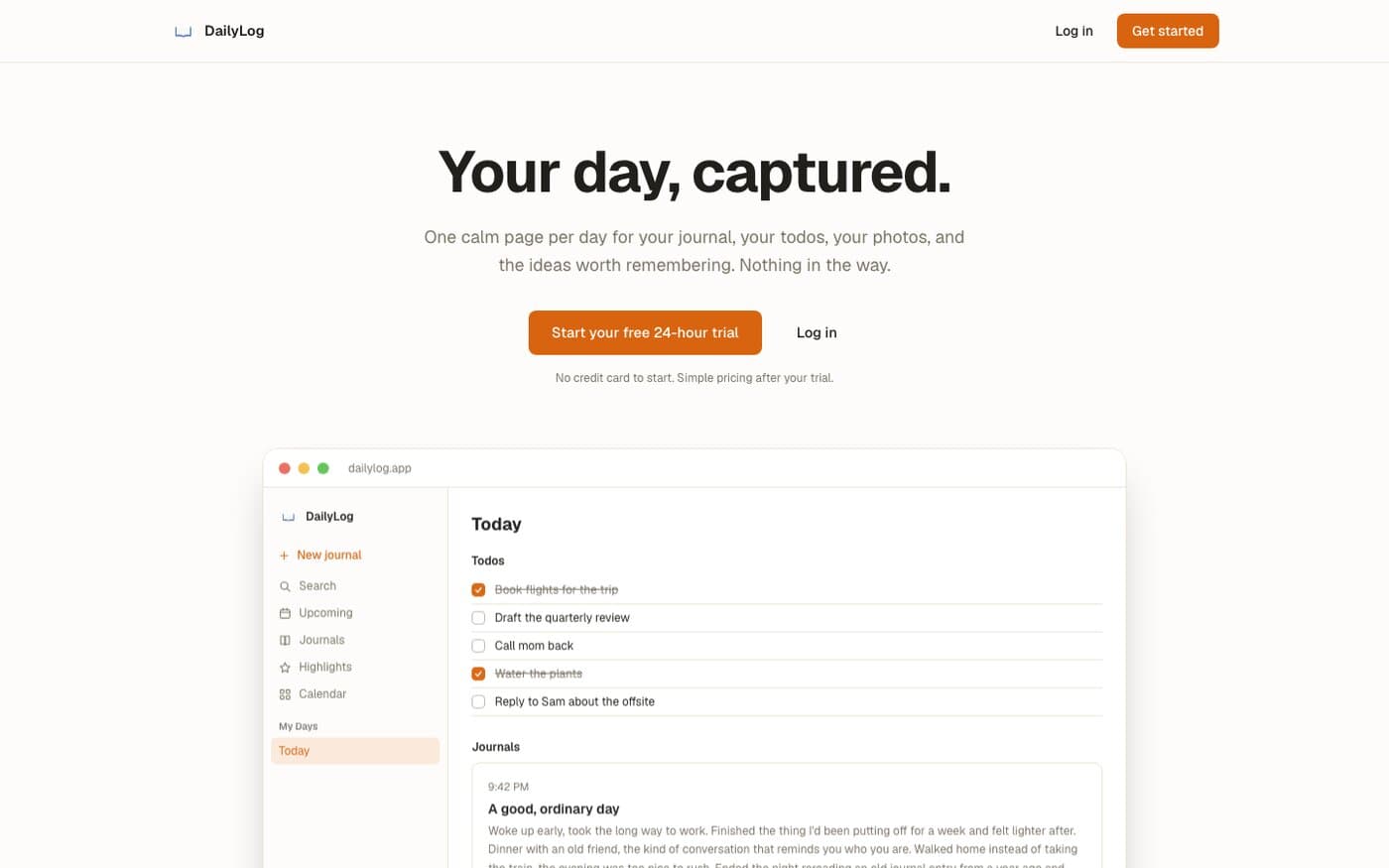
Why I Built This
I wanted to journal, but every app made me choose: a notes app for writing, a to-do app for tasks, a separate camera roll for photos worth keeping. None of them talked to each other, and switching between three apps to capture one day killed the habit before it started.
DailyLog is the tool I actually wanted: one page per day, everything about that day living on it. It started as something I built for myself and turned into a real product, with a trial, subscriptions, and actual users, not just a personal script.
One Calm Page Per Day
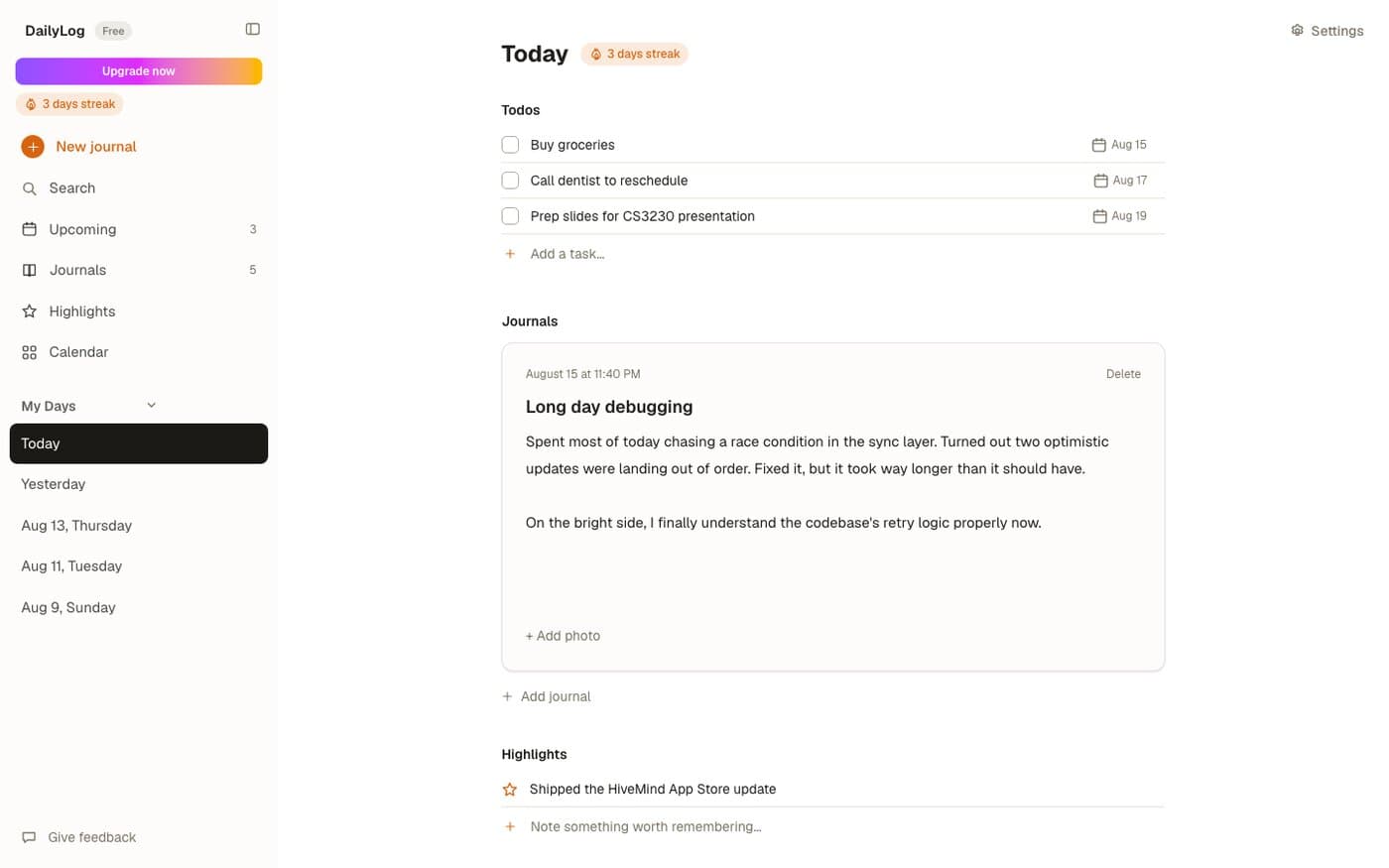
Every day is one page: todos at the top, journal entries in the middle, highlights at the bottom. Writing a journal entry, checking off a todo, and jotting a highlight all happen on the same screen, in the same flow, instead of context-switching into a different tool for each one.
A day only exists once something happens on it. The sidebar's day list, the streak count, and the calendar are all derived from the union of days that have a todo, a journal, or a highlight, there's no separate concept of a day being created that has to stay in sync with what's actually on it.
Optimistic Updates, Debounced Autosave
Checking off a todo, deleting a highlight, or reordering anything updates the local state immediately and writes to Supabase behind it, so the UI never waits on a round trip for something that small. If the write fails, the error surfaces in a dismissible banner and the app re-syncs from the database, so a failed optimistic update can't leave the UI quietly showing something that was never actually saved.
Journal writing is the one place that gets debounced instead of instant: every keystroke updates local state right away, but the save to Supabase waits 600ms after the last keystroke, with one automatic retry on a transient failure. Autosave deliberately doesn't re-sync from the database on failure the way other mutations do, since that would blow away whatever the user has typed since the failed save was scheduled.
Resize, Upload, Then Insert
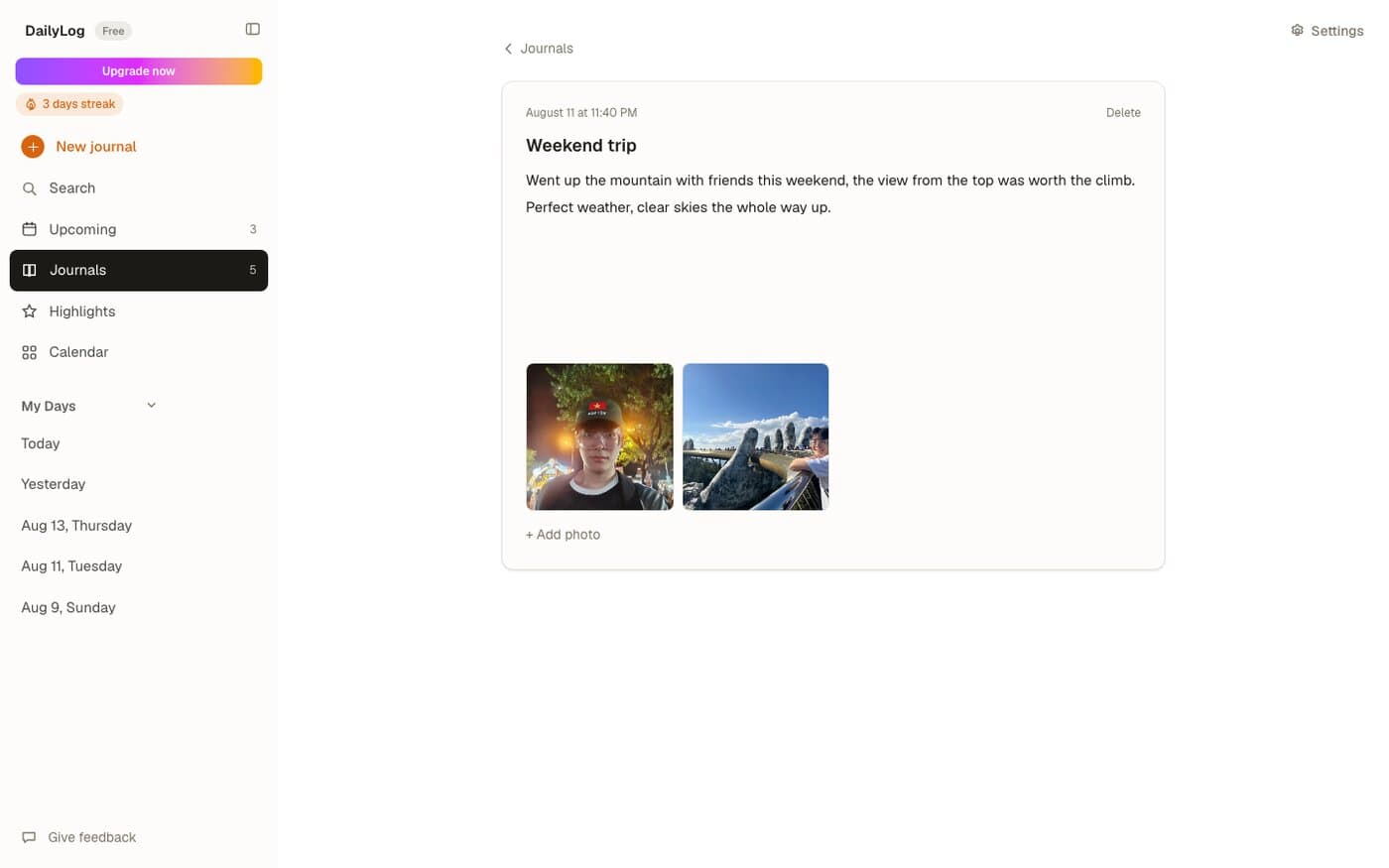
Photos get resized client-side on a canvas before they ever leave the browser, capped at 1280 pixels on the long edge and re-encoded as JPEG, the same tradeoff as every other image upload on this site: a phone photo's full resolution buys nothing once it's a thumbnail in a journal entry, it just slows the upload down.
The upload itself is ordered deliberately: the resized image goes to Supabase Storage first, and only once that succeeds does a row get inserted linking it to the journal entry. If the database insert fails after the file already uploaded, the orphaned file gets cleaned up immediately rather than left pointing at nothing. Deleting a photo reverses that order on purpose, the database row goes first and the storage file second, so a failed delete never leaves a database row pointing at a file that's already gone.
A Private Proxy for Every Photo
Journal photos aren't served from a public bucket or a signed URL, every request for one goes through a proxy route that checks the caller is signed in, then checks that the first segment of the requested storage path matches the caller's own user ID, since photos are namespaced by who uploaded them. Anyone trying to fetch another user's photo by guessing or editing a storage path gets a 403, and a path containing `..` gets rejected outright. The route is also rate-limited to a generous 300 requests per 5 minutes per user, high enough that scrolling through a day full of photos never hits it, but enough of a backstop that a scripted client can't hammer it for free.
The Streak Is Never Stored
The streak counter shown in the sidebar isn't a number sitting in the database that has to be incremented, decremented, and kept in sync, it's recalculated on every render from the same set of active days as everything else: start from today (or yesterday, if nothing's happened yet today), and count backward for as long as each preceding day has at least one todo, journal, or highlight on it. Deleting the thing that made yesterday count, or backdating a task, updates the streak automatically, because it was never anything but a derived value in the first place.
Everything Searchable, Two Keys Away
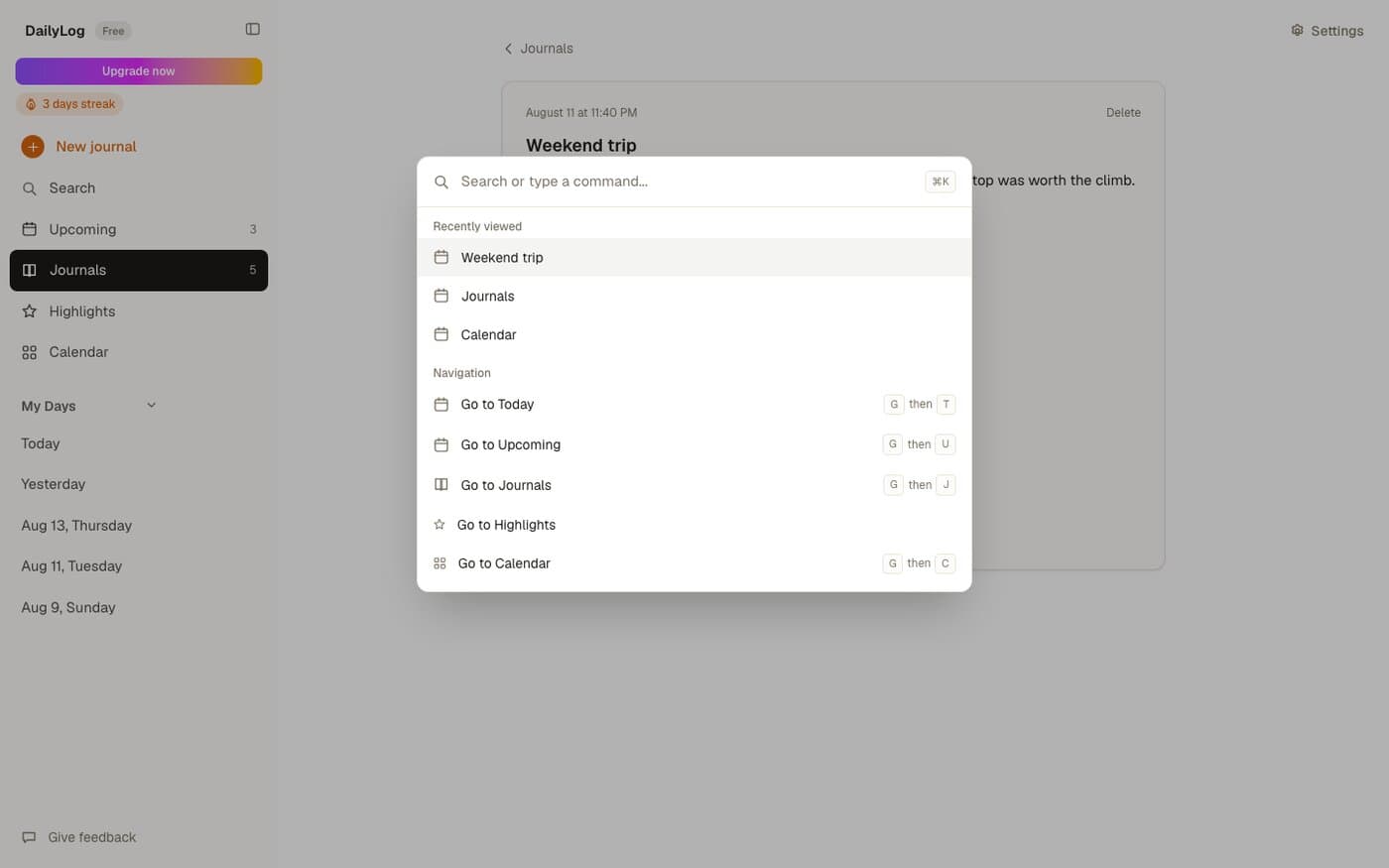
Cmd+K opens a command palette over journals, days, and navigation, the same pattern Linear and Notion use, with recently viewed items surfaced first. Underneath it, the app also runs a small Vim-style keyboard layer: press g, then a second key within a second and a half, to jump straight to Today (t), Upcoming (u), Journals (j), Highlights (h), or Calendar (c), plus q to start a new journal entry and m to toggle the sidebar, none of which fire while an input or textarea actually has focus.
Journals and a Calendar, Not Just a List
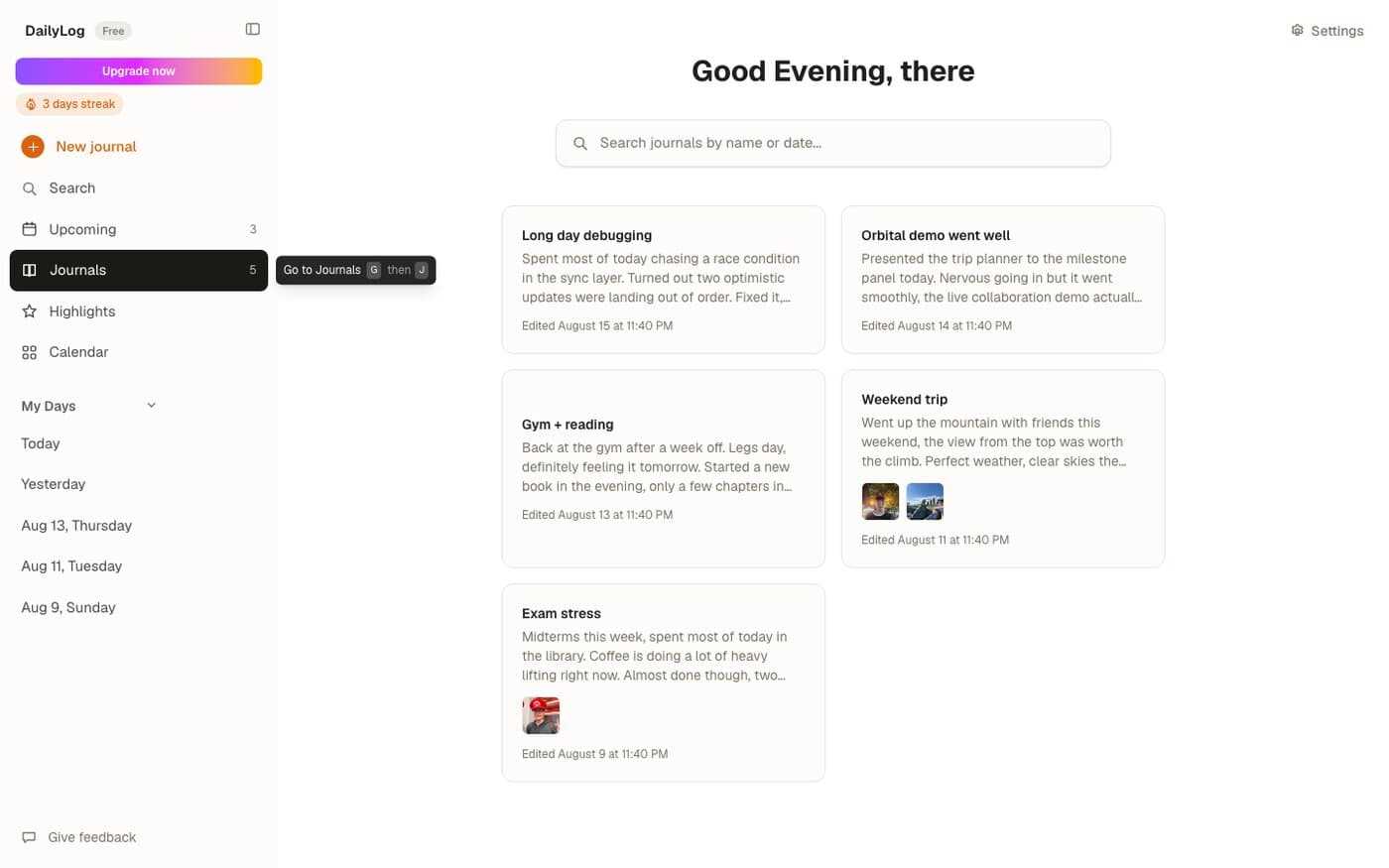
Journals have their own grid view sorted by last edit, with a thumbnail preview for any entry that has photos attached, and a Calendar view lays every todo, journal, and highlight out across the month at once so a single glance answers "what happened that week" without opening each day individually. Both are just different lenses over the exact same underlying data as the day page, nothing about a journal entry changes depending on which view you're looking at it from.
Themes You Can Actually Make Your Own
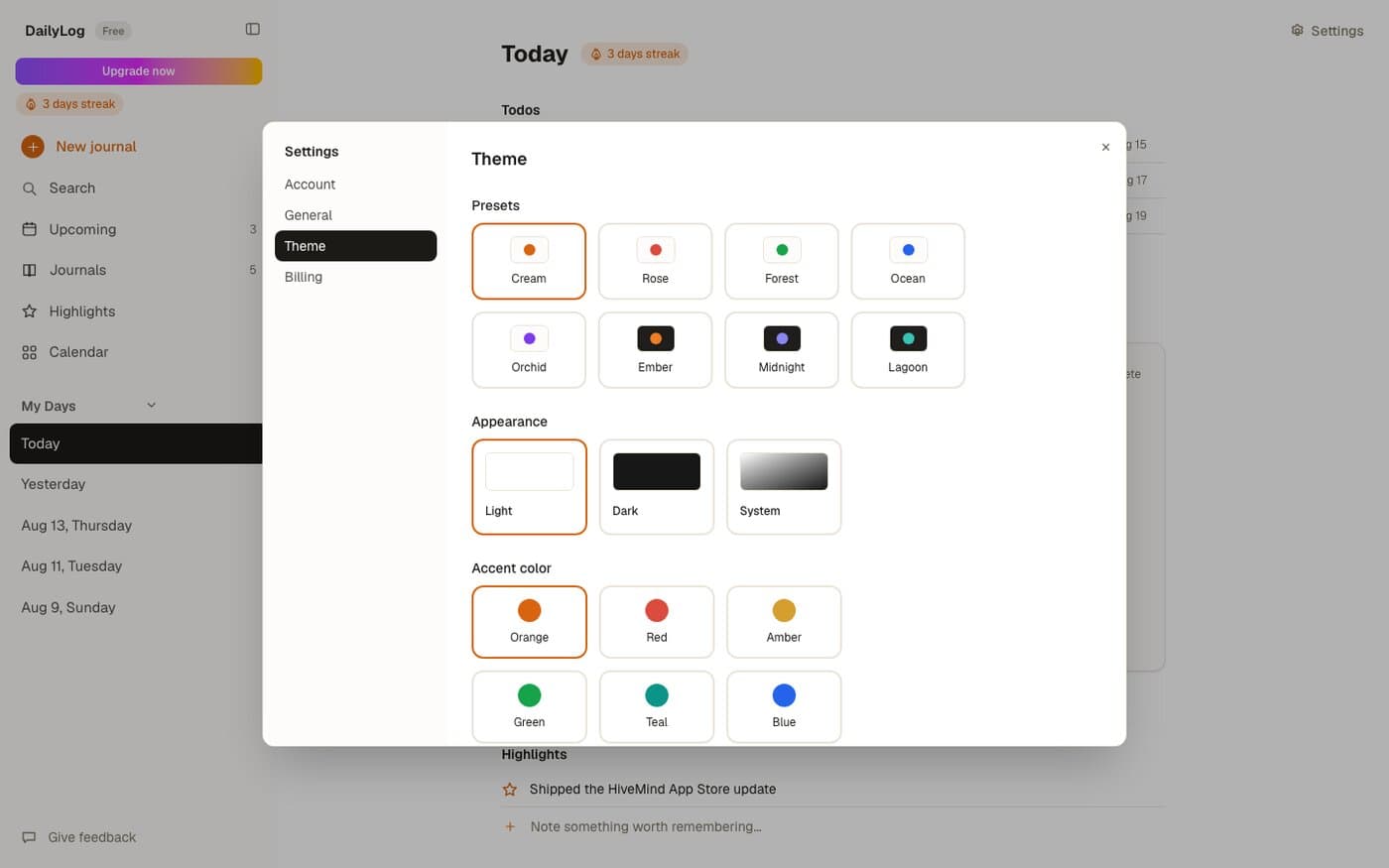
Appearance and accent color are independent settings, nine accent colors across light, dark, or system mode, plus eight named one-click presets (Cream, Rose, Forest, Ocean, Orchid, Ember, Midnight, Lagoon) that bundle a mode and an accent together for anyone who'd rather pick a vibe than tune two settings separately. All of it is stored in localStorage rather than the database, since it's a per-device display preference, not data that needs to sync or survive a device switch.
One Click, Different Mood
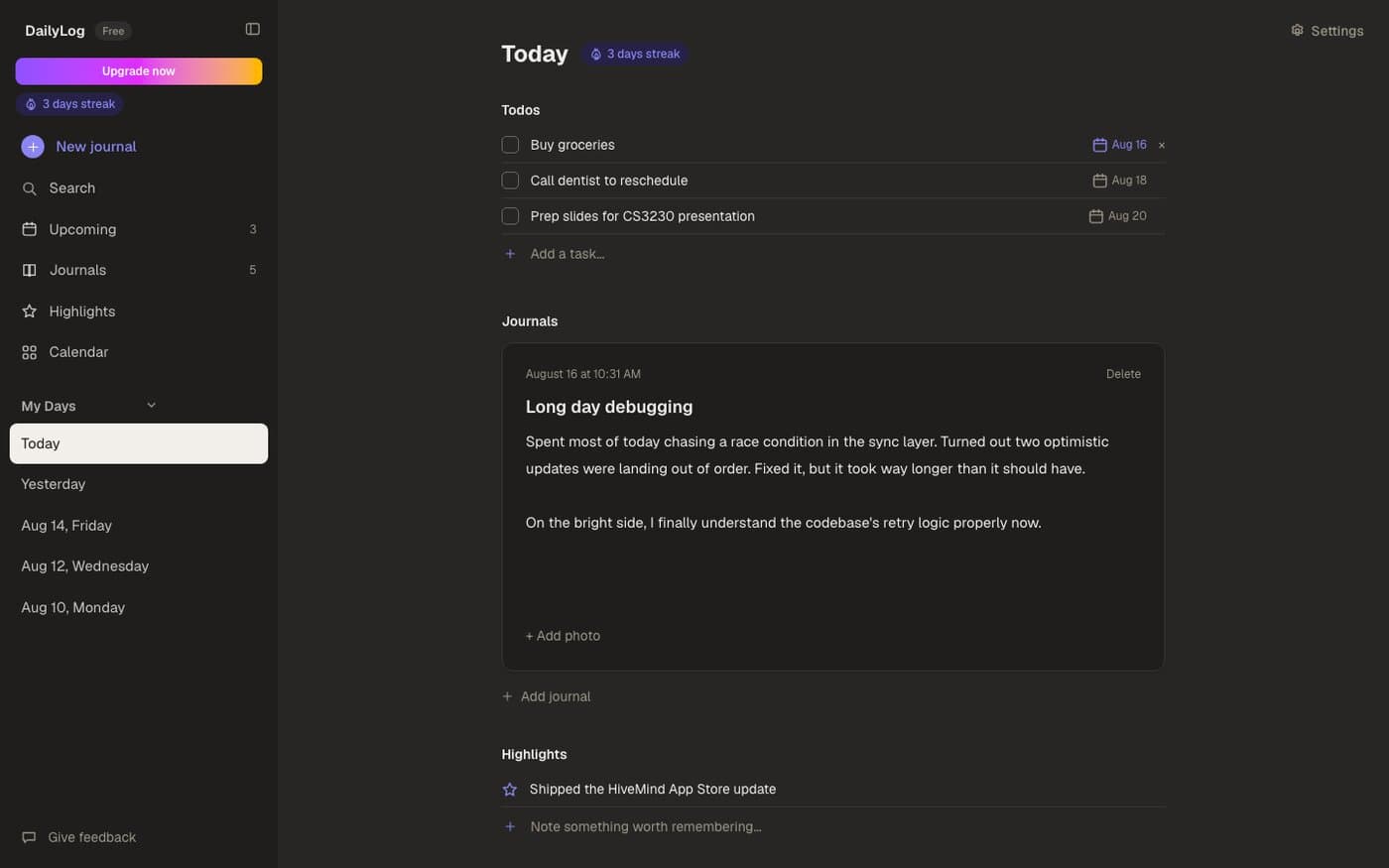
Midnight, one of the dark presets, swaps in an indigo accent instead of the default orange. Same layout, same data, a completely different feel, which is really the point of separating theme from content in the first place.
A 24-Hour Trial, Enforced Server-Side
Every account gets a 24-hour free trial before the app locks behind a Stripe subscription, no credit card required to start. The trial window itself is set once, server-side, at signup, and enforced by row-level security on the data tables, not just checked client-side, so the client-side hook mirrors that value for the UI rather than being the actual gate. A `NEXT_PUBLIC_PAYWALL_ENABLED` kill switch env var exists specifically for turning the whole paywall off while billing infrastructure is still being worked on, without needing a code change to do it.
The trickiest part of the whole billing flow was timing, not logic: Stripe redirects back to the app the instant checkout succeeds, but the webhook that actually marks the subscription active in the database can land a beat later, longer in production than it ever did testing locally with the Stripe CLI. Flashing the paywall at someone who just paid would be a bad look, so a successful checkout instead polls the subscription status every 1.5 seconds for up to 45 seconds before giving up and showing a manual retry, giving the webhook room to land without the user ever seeing a false rejection.
What Held Up
Three things that made this feel like a real product
- Optimistic UI everywhere except the one place it would actively hurt (journal autosave), rather than applying the same pattern uniformly regardless of what's actually being edited.
- A derived streak instead of a stored counter. Nothing to keep in sync means nothing can drift out of sync.
- Trusting the client for UI state, never for the trial window or the paywall gate. Row-level security enforces the real boundary; the client just mirrors it.
Tech Stack
| Layer | Technology |
|---|---|
| App | Next.js, React, TypeScript, Tailwind CSS |
| Auth | Clerk |
| Database & Storage | Supabase (Postgres, Storage), row-level security |
| Payments | Stripe (subscriptions, webhooks, customer portal) |
| Monitoring | Sentry |
| Deployment | Vercel |
Conclusion
DailyLog is live at daily-log.app. What started as wanting one page instead of three separate apps turned into the most complete product I've shipped: real billing, real auth, real monitoring, and a genuinely calm place to write down a day.
Li Junyu
Solo build.