Mobile App
HiveMind: News & Predictions
Why I Built This
I kept finding myself distracted by short-form content on TikTok and Instagram when what I actually wanted was to stay informed: to understand what was happening in the world well enough to form my own opinions about it and think critically, not just consume takes. HiveMind is what happened when I asked whether news could work in that same short-form format instead of competing against it.
It's also my first mobile app. I wanted to build for both iOS and Android without maintaining two codebases, so that decision shaped almost everything else that follows.
Designing a Feed: TikTok's Pacing, a Newsroom's Voice
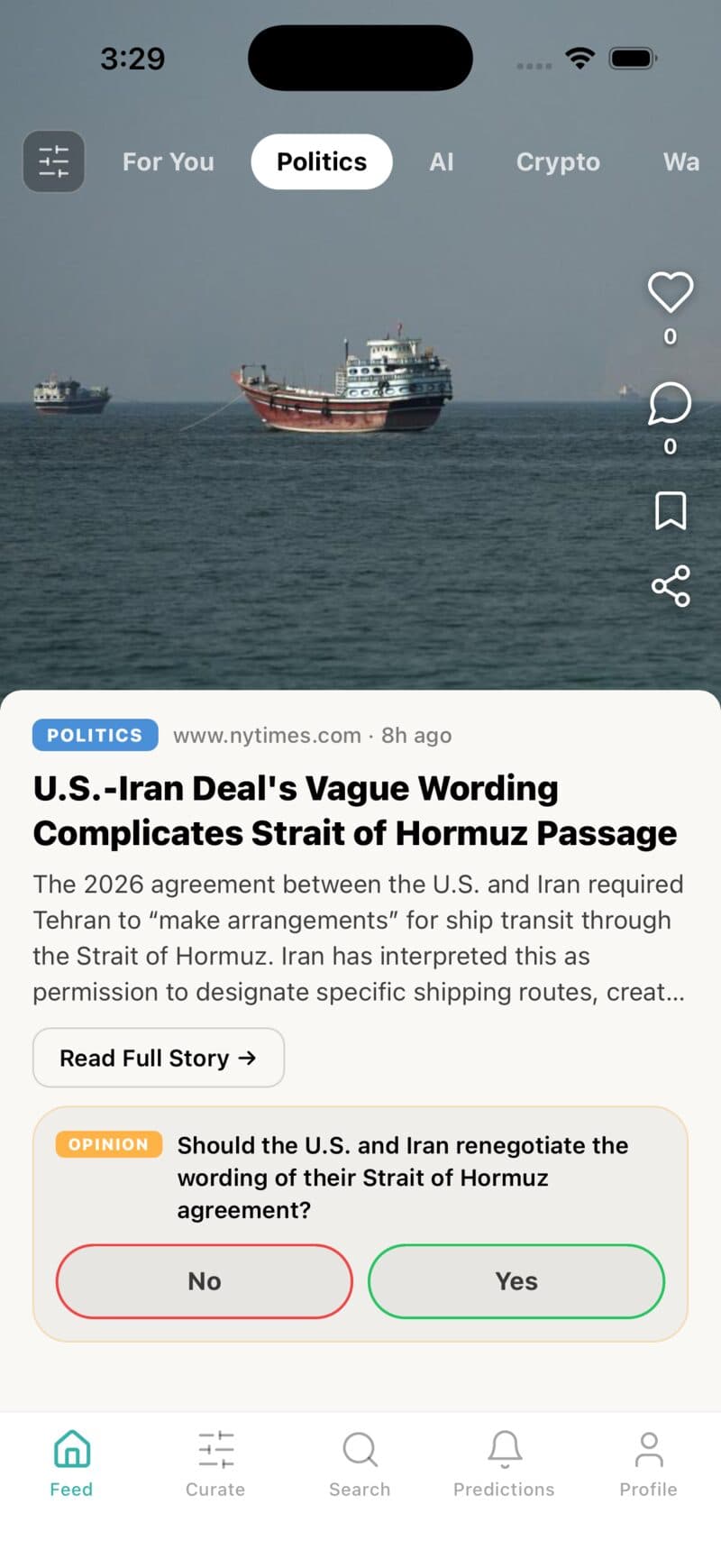
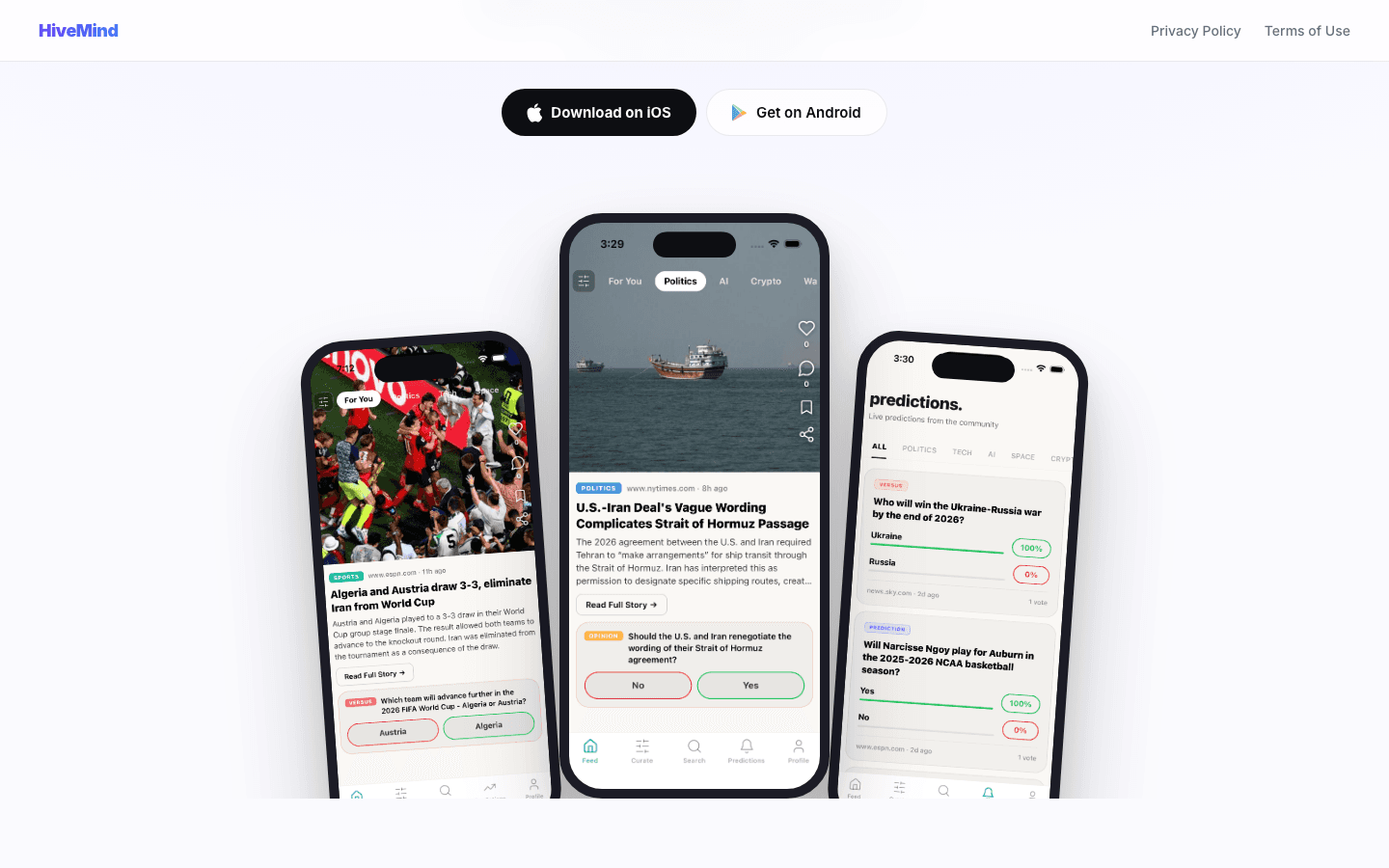
Getting the main feed to look like what I had in mind was the hardest design problem in the app, harder than any of the backend work. I looked at a lot of different apps before landing on what it is now: a hybrid of TikTok's full-screen, one-thing-at-a-time pacing and a news app's actual voice and layout, image up top, headline and summary below, a right-hand action rail for like, comment, bookmark, and share.
Every card that has a prediction attached shows it inline, right under the summary, as a two-option pill the reader can vote on without leaving the card. That's deliberate: the prediction is framed as part of the same thought as the article, not a separate feature bolted underneath it.
Cross-Platform From Day One: Expo Over Native
I chose Expo and React Native specifically so one TypeScript codebase could ship to both iOS and Android, which mattered a lot for a first mobile project where I didn't yet know either native platform well. Testing was the part that made this bearable: Expo Go let me run the app on my own phone by scanning a QR code, no Xcode build, no signing certificate, just save the file and watch it reload.
Auth runs on Clerk (email and password, with OAuth and Sign in with Apple wired in) and the database is Supabase Postgres. The mobile client only ever holds Supabase's public anon key; every request also carries a short-lived Clerk JWT, and row-level security policies check that JWT's `sub` claim against the row's `user_id`. The service role key that can bypass RLS never ships in the app at all, it only exists in the Python pipeline that writes content.
The Pipeline: Turning RSS Into News Cards
Content doesn't come from one source. A Python pipeline pulls RSS feeds across eight categories, politics, tech, AI, space, crypto, finance, war, and sports, from outlets like BBC, CNN, Reuters, the New York Times, the Guardian, Straits Times, CNA, TechCrunch, and ESPN, keeping only entries published in the last 48 hours. Every article that passes gets sent to DeepSeek with a prompt that returns strict JSON: a neutral headline under 15 words, a 3 to 4 sentence factual summary, and a category. The prompt also carries an explicit exclusion list, lifestyle, celebrity, advertorial, anything not genuinely newsworthy, and the model returns `skip: true` instead of forcing a card out of content that doesn't belong in a serious news feed.
Catching the Same Story Twice
The same story often gets covered by five outlets with five different URLs, so URL-based deduplication alone wasn't enough. Alongside a `processed_links` table that skips any link the pipeline has already seen, a second check compares a new headline against every headline published in the last 24 hours by word overlap, and treats anything above 60% shared words as the same story already covered. It's a blunt heuristic, but it's cheap to run on every article and it catches the common case: the same breaking story re-reported by BBC, Reuters, and CNA within an hour of each other.
When the Model Ran Out of Tokens
Prediction generation asks DeepSeek to return a longer JSON object, question, two options, resolution criteria, a source URL, a resolve-by date, and early on it would sometimes get cut off mid-object because the response hit its token limit before finishing. The fix was two parts: a retry loop that checks the response's finish reason and tries again (up to three times) if the model got truncated or returned nothing, and raising the token budget so a full object had room to complete in one pass. Both are still in the pipeline today.
Predictions, Not Just Headlines
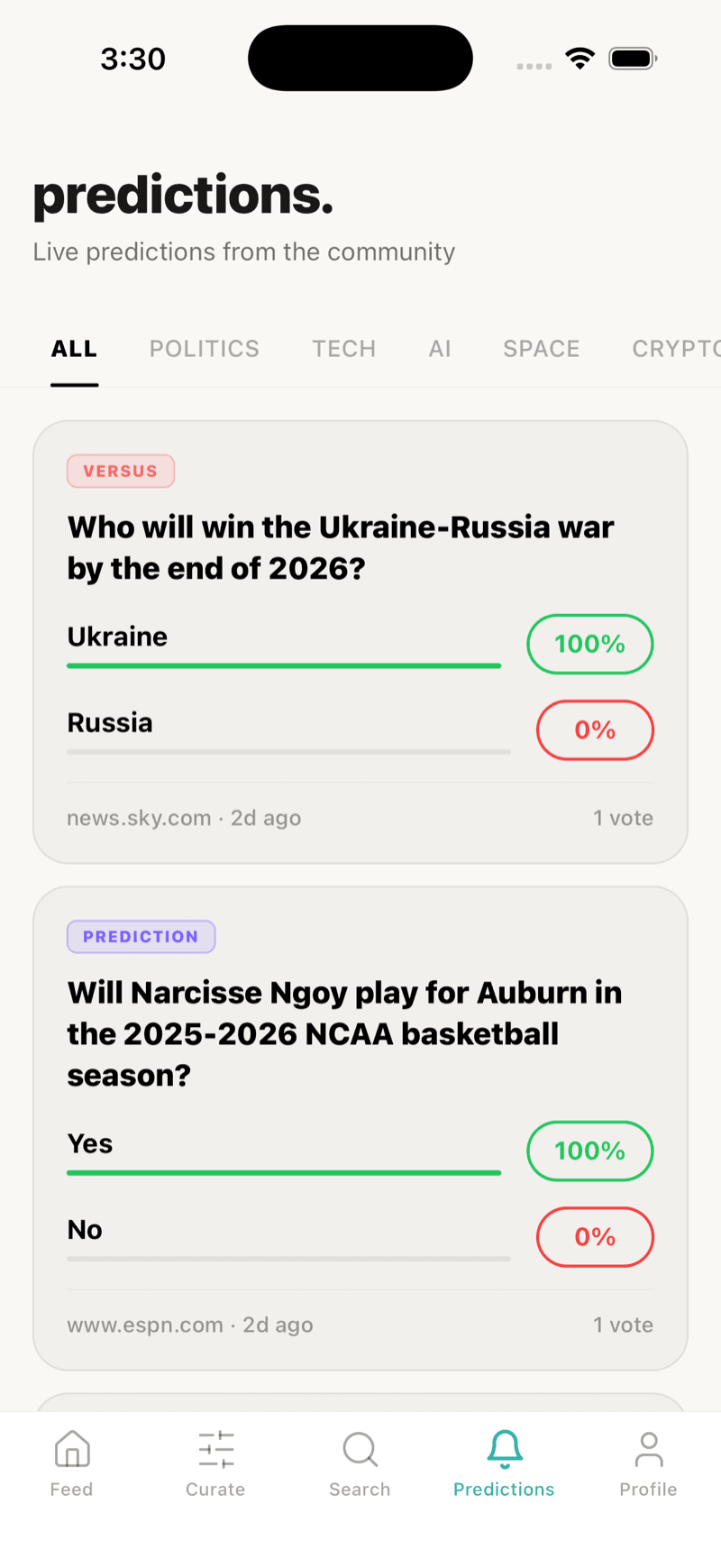
The point of a prediction question is to make someone think about the article, not just skim it, so the prompt that generates them follows a strict priority order modeled on how real prediction markets like Polymarket and Kalshi phrase questions. If a story names two competing entities, companies, countries, teams, it becomes a head-to-head versus question. If there's a single verifiable future outcome with a date attached, it becomes a yes/no prediction with a resolution date and a source to check against. Only if neither applies does it fall back to a plain opinion question. Predictions are ranked by total votes in their own tab, so the questions the community actually engaged with rise to the top instead of just showing in publish order.
Images: When the Article Has None
Not every article has a usable image, and og:image tags aren't reliably parseable by an AI model reading raw HTML, so image sourcing runs as its own small pipeline. It scrapes the article page for an og:image meta tag first, falling back to whatever the RSS entry itself carries (media content, an enclosure, a linked image). If that comes up empty, the pipeline searches Unsplash using the article's own headline, stripped of stopwords, as the query, falling back to the category name if that search returns nothing. Whatever image wins gets downloaded, converted with Pillow, thumbnailed down to a max of 800 by 600, and re-uploaded to Supabase Storage as a compressed JPEG rather than hot-linked from the original source, since a slow or dead source image shouldn't be able to break a card. A cleanup job removes stored images for cards older than 30 days to keep storage costs from growing without bound.
Search and What's Trending
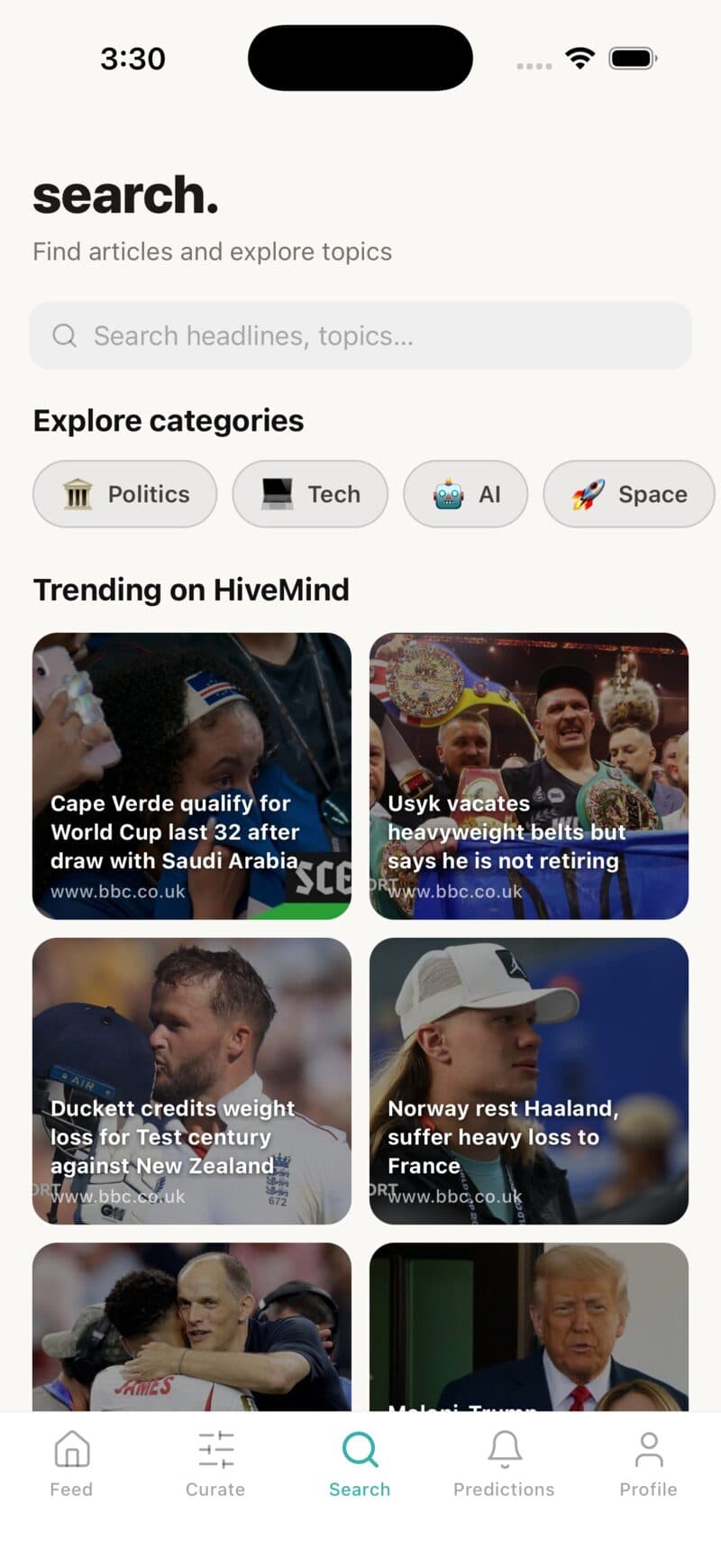
Search runs a plain text match against headlines and article bodies, nothing fancier than that yet. The trending grid next to it is honestly a proxy rather than a real popularity signal right now: it surfaces recent cards from a fixed list of major outlets (BBC, CNN, Reuters, the New York Times, the Guardian) rather than ranking by actual views, likes, or votes, since the app doesn't have enough traffic yet for an engagement-based ranking to mean anything. It's a reasonable placeholder, but it's a placeholder, and it's the first thing I'd replace once there's real usage data to rank by.
Voting Without Double-Counting
Recording a vote checks for an existing response from that user before inserting a new one, so tapping a prediction twice never counts twice, it just returns the same result again. The vote percentage itself comes from a second query that fetches every response for that prediction and counts by choice, and it explicitly re-adds the caller's own vote to that count if it isn't already present in what came back, since a row-level security policy scoped too narrowly could otherwise silently exclude a user's own row from an aggregate they should be able to see. On the predictions tab, ranking by total votes across many questions runs as three batched queries, recent cards, their live predictions, all votes on those predictions, aggregated in memory, rather than one query per prediction.
Auth, Streaks, and Coming Back Tomorrow
Seen-card IDs are cached locally with AsyncStorage so the feed doesn't repeat a story a user already read, even across app restarts, and loops back around once everything in view has been seen. A daily streak counter checks, on open, whether today is already logged; if not, it increments the streak when the last visit was yesterday and resets to 1 otherwise, and separately logs which days of the current week were visited for a weekly streak banner. None of that is unique to a news app, it's the same habit-loop mechanic games and fitness apps use, but it fit the honest goal here: getting someone to actually come back and read tomorrow, not just today.
Shipping to the App Store
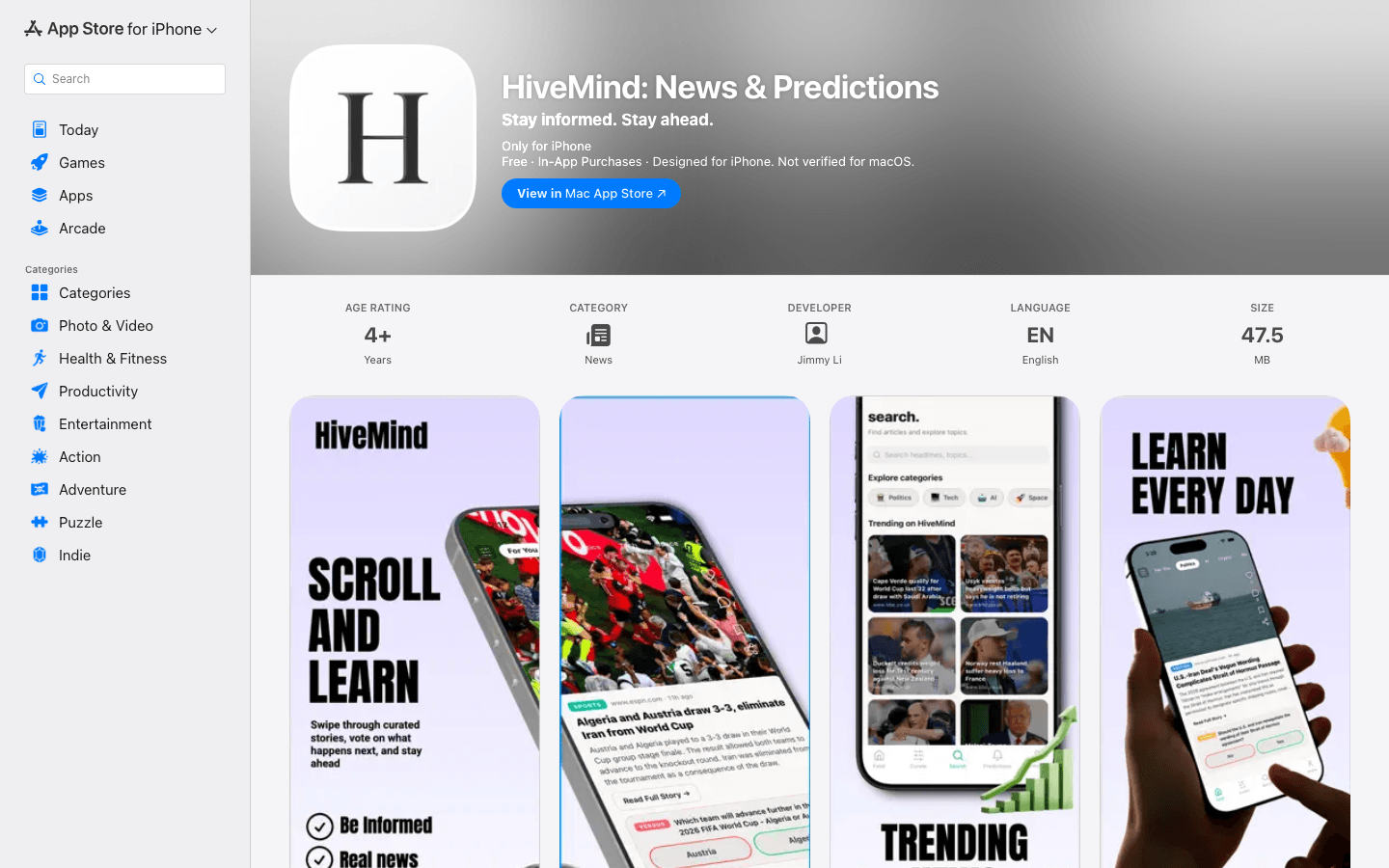
Getting the app built was one project; getting Apple to accept it was another. App Store Connect required a hosted privacy policy and terms of service before it would let me submit anything, plus a full pass through App Privacy and accessibility declarations. I designed the App Store screenshots with AppLaunchpad and picked App Store Optimisation keywords with a free keyword tool, since ASO keywords are apparently a real lever on how discoverable an app is and not just a formality to fill in.
Then came review, and then came rejection, more than once, over more than a month of resubmitting.
What Apple Actually Rejected
Two rejections taught me more about App Store guidelines than any amount of reading them beforehand did. First: any app offering third-party sign-in options has to offer Sign in with Apple alongside them, not just Google or email, so `expo-apple-authentication` got added specifically to satisfy that. Second: an account needs an in-app way to actually delete itself, not just log out or deactivate, so the profile screen now has a destructive, confirmation-gated delete button that calls Clerk's own account deletion and signs the user out. Both are small amounts of code. Neither was obvious until Apple's review said so.
Three Things I'd Tell a First-Time Mobile Dev
What this project actually taught me
- Expo Go turns the edit, reload, test loop into seconds instead of a native rebuild. For a first mobile project, that alone was worth the tradeoff of not going fully native.
- Apple's review guidelines are stricter in practice than they read on paper, particularly around auth parity (match every sign-in option with Sign in with Apple) and account deletion (a real delete, not just a logout).
- An LLM pipeline needs the same validation discipline as the app it feeds: a strict JSON schema on the prompt, a retry loop for truncated responses, and a token budget with enough headroom to actually finish.
Tech Stack
| Layer | Technology |
|---|---|
| Mobile app | Expo SDK 54, Expo Router, React Native, TypeScript |
| Auth | Clerk (email/password, OAuth, Sign in with Apple) |
| Database | Supabase (Postgres) with row-level security keyed to the Clerk JWT |
| Local storage | AsyncStorage (seen-card cache) |
| Payments | RevenueCat (react-native-purchases) |
| Content pipeline | Python, feedparser (RSS), DeepSeek API |
| Images | Unsplash API fallback, Pillow compression, Supabase Storage |
| Distribution | Apple App Store Connect, screenshots via AppLaunchpad |
What I'd Do Differently
| Limitation | Why it's there now | What I'd reconsider |
|---|---|---|
| "Trending" is a source-reputation proxy | No real engagement signal is tracked yet, so it ranks by outlet instead | Rank by actual views, likes, or votes once there's enough traffic for that to mean something |
| Bookmarks and curate started local-only | Shipped without a backing table to hit a milestone | A proper bookmarks table with row-level security, matching how history already works |
| No push notifications yet | The notifications tab is a placeholder | Prediction-resolution alerts are the actual reason someone would open the app again the next day |
Conclusion
HiveMind is live on the App Store today. It's my first mobile app, and the process, from designing a feed I was actually happy with, to a Python pipeline that turns raw RSS into readable, fact-checked cards, to a month of Apple rejections that each taught me something specific, made me genuinely want to keep building for mobile. Android is technically ready through Expo but not yet submitted, and real engagement-based trending and push notifications are next on the list.
Li Junyu
Solo build, first mobile app.